Confirm Shopify product categories during import
Shopify products can carry a standard product category (Shopify's own taxonomy, separate from your product type or tags) that affects things like storefront filtering and Google Shopping fields. If your file has a category column, Csvio suggests a matching Shopify category for each value it finds.
When does the Categories card appear?
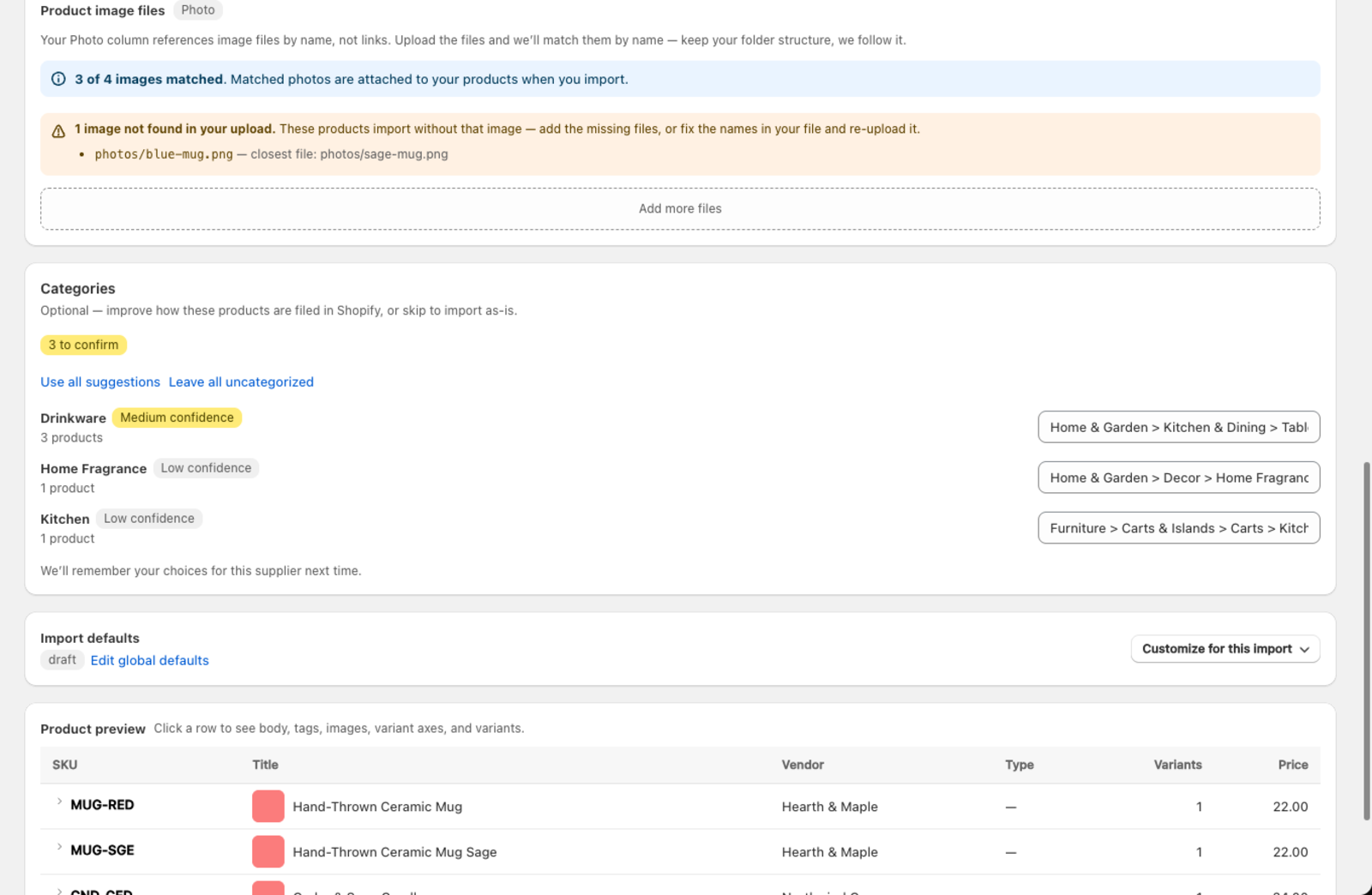
The Categories card shows up automatically on the Review mapping screen, but only for Create imports where your file includes a category column. It groups your file by each distinct category value (e.g. "Drinkware", "Home Fragrance") rather than by row, so you confirm each value once no matter how many products use it. A badge next to the card heading — e.g. "3 to confirm" — shows how many groups still need a decision.
What do the confidence badges mean?
Each suggested category carries a confidence badge based on how closely Csvio's match fits your file's value:
| Badge | Meaning |
|---|---|
| High confidence | A strong match — usually fine to accept as-is |
| Medium confidence | A reasonable match — worth a quick check |
| Low confidence | No badge shown; double-check before accepting |
If Csvio has already matched a value from a previous import with this supplier, it's shown as remembered instead of a suggestion — no confidence badge, since it's your own past choice.
How do I confirm or change a category?
Each row shows the suggested Shopify category in a search field. To accept it, leave it as-is. To pick a different one, click the field and search — Csvio searches Shopify's full standard category list as you type.
Two shortcuts sit above the list:
- Use all suggestions — accepts every "to confirm" suggestion at once
- Leave all uncategorized — clears every unmatched or unconfirmed group
Can I leave a product uncategorized?
If none of the suggestions fit, choose Leave uncategorized in the search field. The products still import normally with all their other fields.
One thing it does cost: Shopify lets you limit a custom field to certain product categories, and Material is usually one of those. A product with no category can't take a field like that, so if your file fills one, those products import without it. Csvio says so on the Review mapping screen before you import — see Confirm custom field values during import.
Does Csvio remember my category choices?
Once you confirm a category for a supplier, Csvio reuses that choice automatically on future imports from the same supplier, so you only review each category value once.
What's next?
- How AI column mapping works — see how Csvio maps the rest of your columns
- Preview an import before pushing to Shopify — check your full mapping before importing
Still need help? Click the chat button in the bottom-right corner of Csvio, or email [email protected].